iOS App SandBox 본문
왜 Sandbox 라고 부를까?
애플의 경우 기술 개념을 추항화 할때 보통 고유 명사로 설명하는 방식을 선호하는 것 같다.
App SandBox 역시 sandbox (n.) = 모래상자, 모래밭
모래 상자안에서만 놀수 있다는 물리적인 비유로 그 밖의 공간에는 손댈수 없다는 은유적인 표현이다.
앱(macOS, iOS .. 등등)이 시스템 리소스에 제한된 범위 내에서만 작동하여 시스템 훼손을 원천 차단해버린다.
Sandbox 구조
눈으로 보는게 아무래도 더 기억에 남기때문에 직접 파악해보자
아무 앱을 시뮬레이터로 빌드 시켜본 후
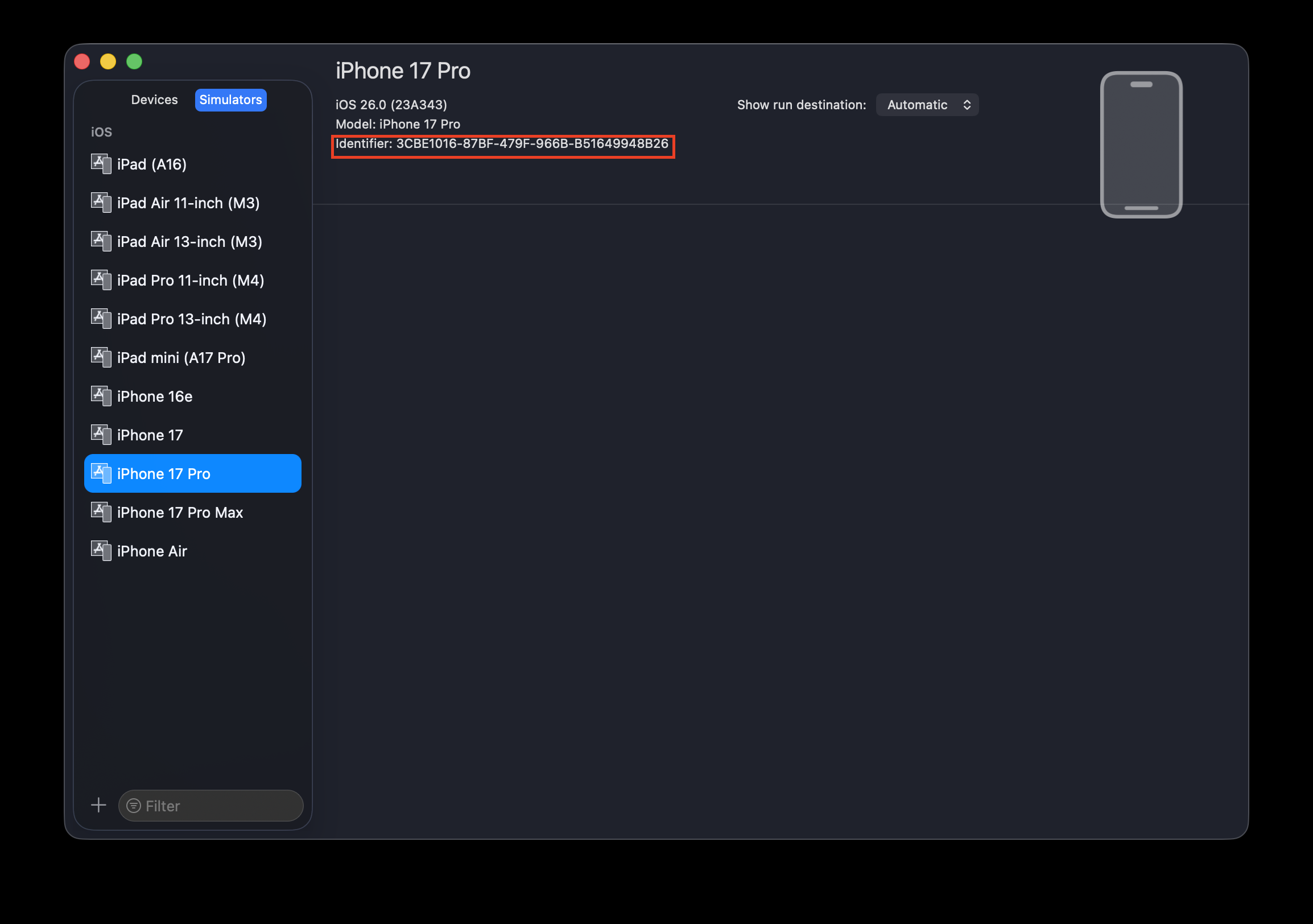
시뮬레이터는 Xcode에서 Widnow/Devices and Simulators 에서 Identifier를 확인할 수 있다.
~/Library/Developer/CoreSimulator/Devices/"Identifier"
경로로 들어가보자
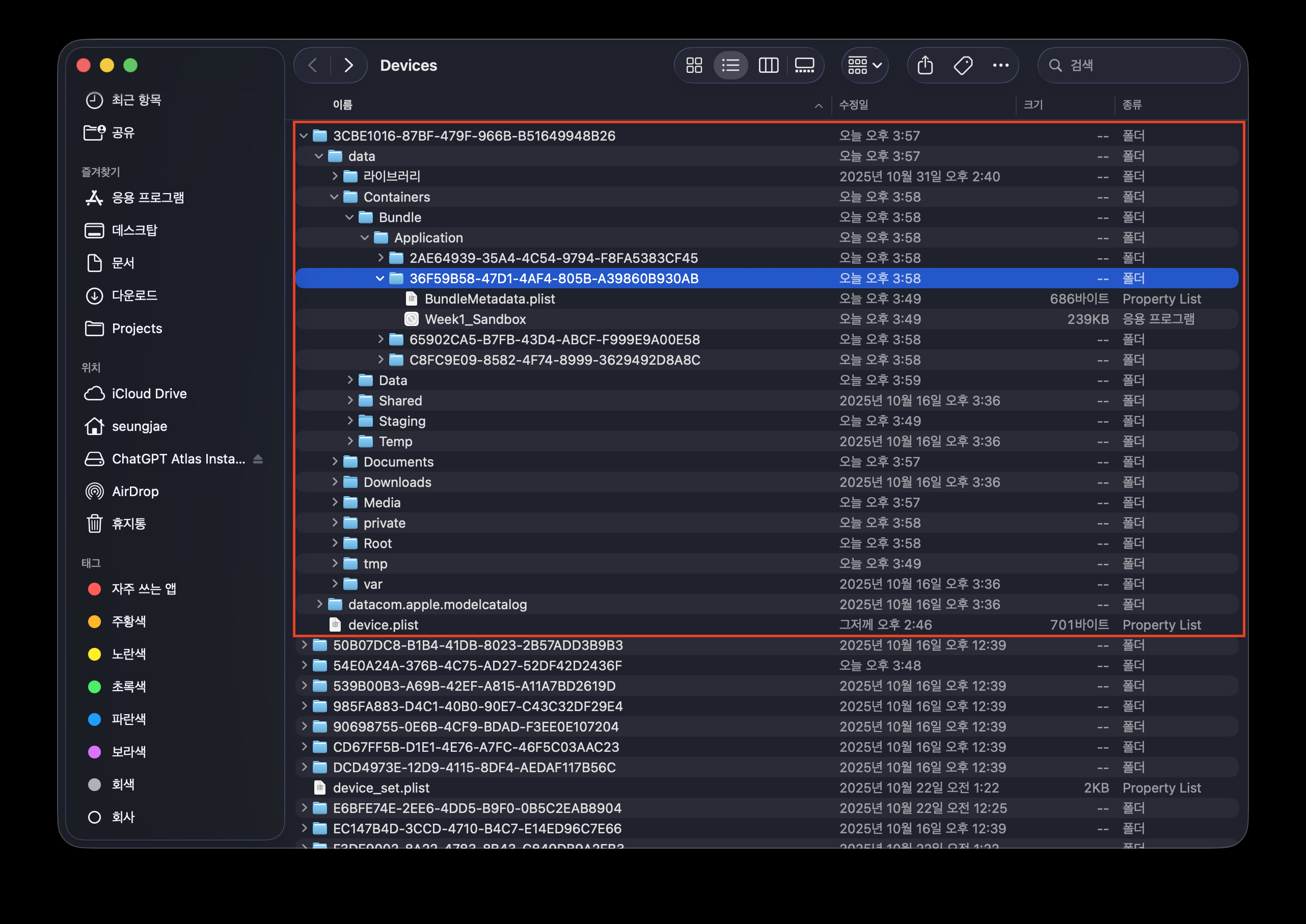
해당 경로를 확인해보면 우리의 앱은 /var/mobile/Containers/Data/Application/<UUID>/ 에 생성되어있음을 확인할 수 있다.
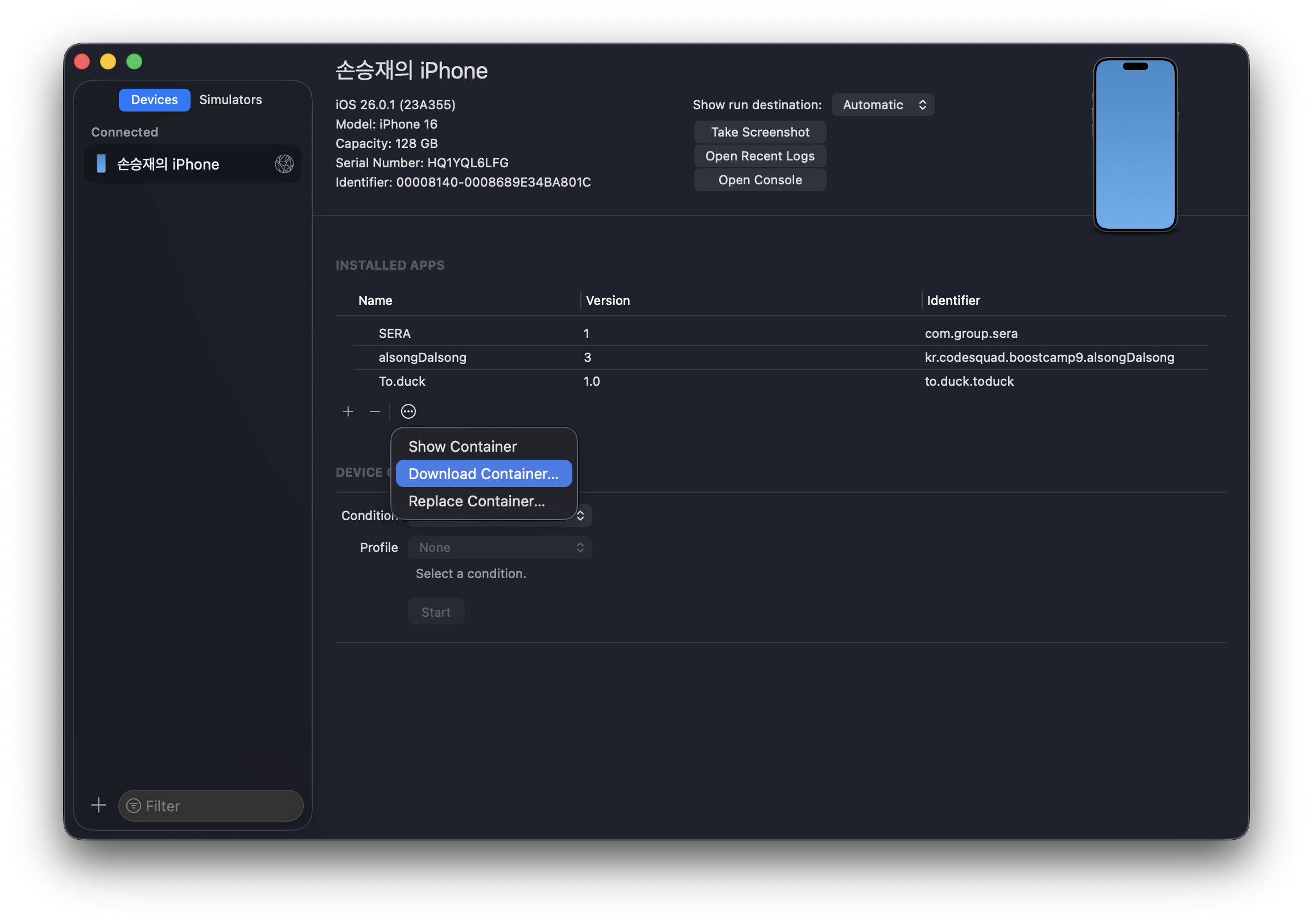
iOS 기기는 샌드박스 정책이 완전한 커널 레벨로 적용돼 있기 때문에 Finder나 Xcode로는 내부에 직접 접근할 수 없다.
실제 디바이스로 테스트해볼 경우에는 Download Container를 통해 xcappdata 파일을 다운받을 수 있고, Show Package Contents를 하면 내부 폴더 구조를 볼 수 있다.
| 디렉토리 | 용도 |
|---|---|
| documents/ | 사용자가 만든 문서나 영구 데이터 저장 |
| Library/ | 앱 설정, 캐시 등 내부 관리 데이터 |
| tmp/ | 임시 파일 (앱 종료 시 삭제될 수 있음) |
실험
실제 Swift로 직접 FileManager 를 통해 저장해보자
let docURL = FileManager.default.urls(for: .documentDirectory, in: .userDomainMask).first!

let fileURL = docURL.appendingPathComponent("sandbox_test.txt")

let text = "Hello Sandbox! 👋"
try? text.write(to: fileURL, atomically: true, encoding: .utf8)

print("파일 저장 완료:", fileURL.path)
Document 경로로 지정했기 때문에 해당 URL에 파일이 저장된 모습
tmp 폴더
temp 폴더에 저장하는 데이터는 필요없다고 판단되면 앱이 실행 중이 아닐 때는 시스템이 이 디렉터리를 삭제할 수 있다.
let tmpURL = FileManager.default.temporaryDirectory
let tmpFile = tmpURL.appendingPathComponent("temp_note.txt")
try? "Temporary".write(to: tmpFile, atomically: true, encoding: .utf8)
print("tmp 파일:", tmpFile.path)
Library 폴더
let libURL = FileManager.default.urls(for: .libraryDirectory, in: .userDomainMask).first!
let cacheFile = libURL.appendingPathComponent("cache_info.txt")
try? "Library Test".write(to: cacheFile, atomically: true, encoding: .utf8)
print("Library 파일:", cacheFile.path)
잘 저장된다.
document, library, tmp이 아닌 앱 내부에 저장해보기
func writeContainer() {
        let tmpURL = FileManager.default.temporaryDirectory
        let parentURL = tmpURL.deletingLastPathComponent()
        let fileURL = parentURL.appendingPathComponent("test.txt")

        do {
            try "Hello Sandbox".write(to: fileURL, atomically: true, encoding: .utf8)
            print("Caches 파일 생성 성공:", fileURL.path)
        } catch {
            print("Caches 파일 생성 실패:", error)
}
Error Domain=NSCocoaErrorDomain Code=513 "You don’t have permission to save the file “test.txt” in the folder “2B5745B1-D570-4DB0-99DD-AD5728853EA3”." UserInfo={NSFilePath=/private/var/mobile/Containers/Data/Application/2B5745B1-D570-4DB0-99DD-AD5728853EA3/test.txt, NSURL=file:///private/var/mobile/Containers/Data/Application/2B5745B1-D570-4DB0-99DD-AD5728853EA3/test.txt, NSUnderlyingError=0x1562deaf0 {Error Domain=NSPOSIXErrorDomain Code=1 "Operation not permitted"}} }시뮬레이터의 경우에는 저장이 됌
but 실기기는 권한이 없다고 나옴
다른 앱 디렉토리 접근
let otherAppPath = "/var/mobile/Containers/Data/Application/69614363-0D00-4E00-9151-9FD092B9ADB1/Documents/test.txt"
let url = URL(fileURLWithPath: otherAppPath)

do {
    try "Hello?".write(to: url, atomically: true, encoding: .utf8)
} catch {
    print("❌", error)
}
Error Domain=NSCocoaErrorDomain Code=4 "The folder “test.txt” doesn’t exist." UserInfo={NSUserStringVariant=(
Folder
), NSFilePath=/var/mobile/Containers/Data/Application/69614363-0D00-4E00-9151-9FD092B9ADB1/Documents/test.txt, NSURL=file:///var/mobile/Containers/Data/Application/69614363-0D00-4E00-9151-9FD092B9ADB1/Documents/test.txt, NSUnderlyingError=0x600000c35860 {Error Domain=NSPOSIXErrorDomain Code=2 "No such file or directory"}}결과는 아예 다른 파일이 있는 줄도 모른다. 마치 Sanbox끼리는 서로 독립적으로 격리되어있는 것 처럼 보인다.
다른 앱 디렉토리 접근 2
만약 App group Entitlement 를 허락한다면 ?
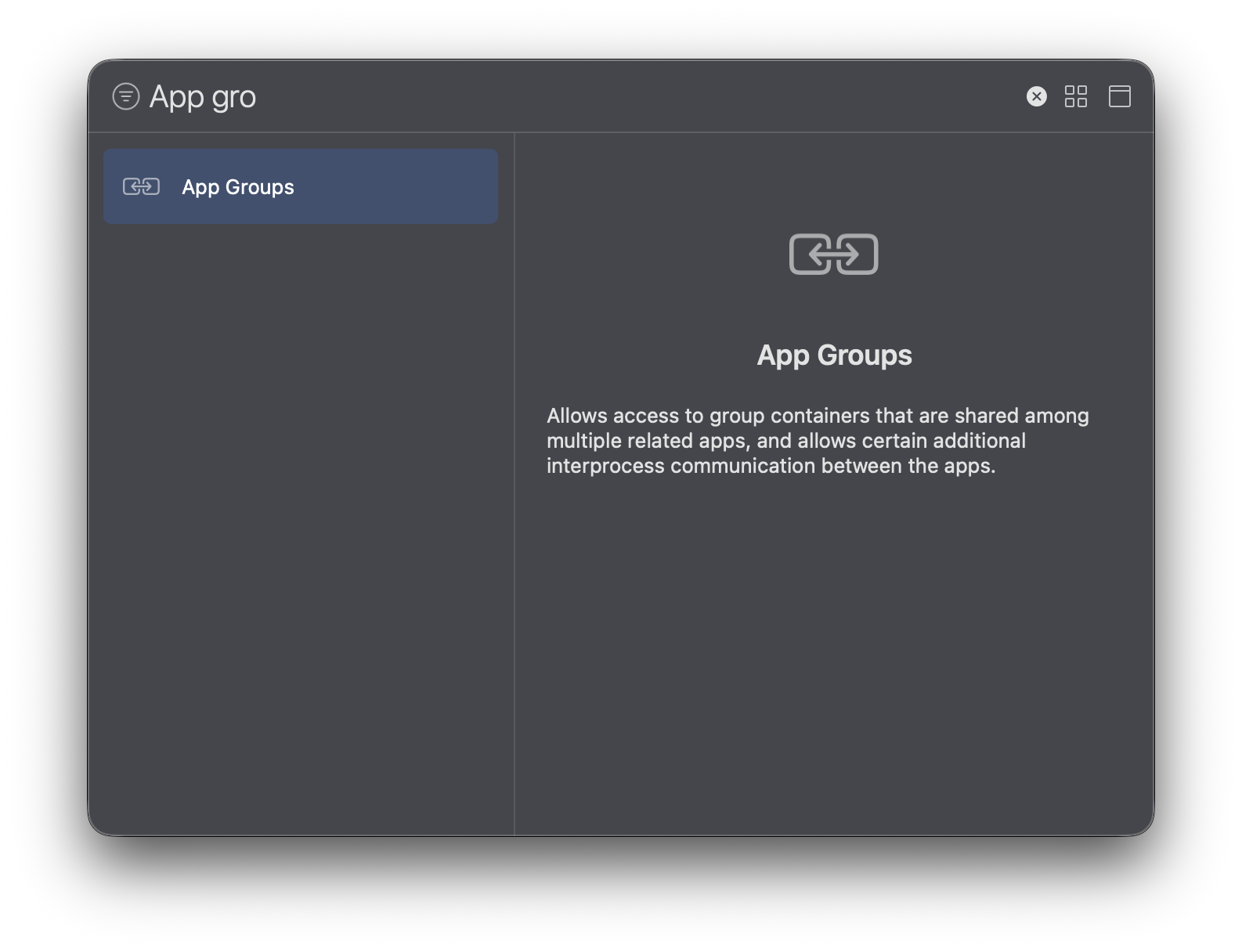
동일한 Team ID라면 공유가능 (같은 팀의 프로비저닝 프로파일로 서명돼야 함)
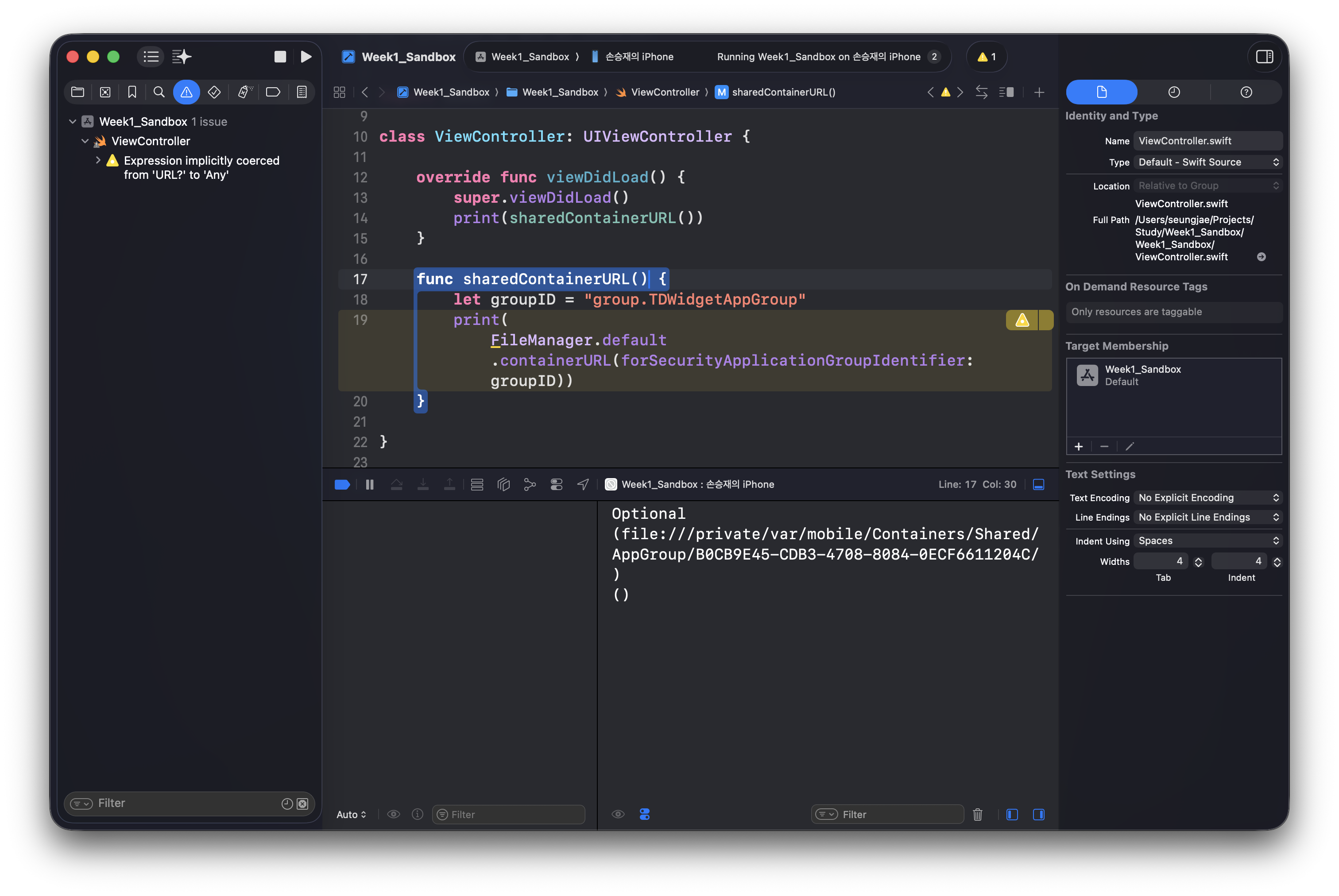
위젯 같은 경우에 데이터 교환을 위해서 App group을 사용했었는데, 해당 경로는 shared/AppGroup/UUID 에서 확인할 수 있었다.
같은 프로비저닝 파일이라면 둘다 접근가능할 수 있었다.
Application A
└── /var/mobile/Containers/Data/Application/<UUID_A>/

Application B
└── /var/mobile/Containers/Data/Application/<UUID_B>/

공유 폴더(App Group)
└── /var/mobile/Containers/Shared/AppGroup/0D1B1F5D-...
     └── test.txt
즉 두 앱은 자신만의 샌드박스를 만들게 된다.
'iOS Technologies' 카테고리의 다른 글
| UINavigationBar에 Custom 뷰를 추가했더니 의도하지 않는 애니메이션이 나오는 문제 (0) | 2025.11.15 |
|---|---|
| Workspace에서 Embed 전략 (0) | 2025.10.20 |
| xcodebuild로 프로젝트 빌드 시간 측정하는 방법 (0) | 2025.10.17 |
| [Widget Extension #1] 최신 데이터 갱신 (3) | 2025.08.13 |
| App Extension #1 (4) | 2025.06.05 |
